Incora Construction logo
Tech Consulting
Build smarter technology strategies for construction
AI Business Automation
Automate repetitive work with AI-powered workflows
Business Process Automation
Streamline workflows and reduce manual processes
AI Integration
Connect AI capabilities to your existing systems
Document Automation
Automate document creation, processing, and approvals
Cost Management Software
Track project costs and control budgets in real time
Client Portal
Keep clients connected with projects and updates
Scheduling
Simplify project planning, scheduling, and coordination
Punch List & Handover
Manage defects, tasks, and project handover efficiently
Software Integrations
Connect your construction tools into one workflow

Construction Cost Management Software

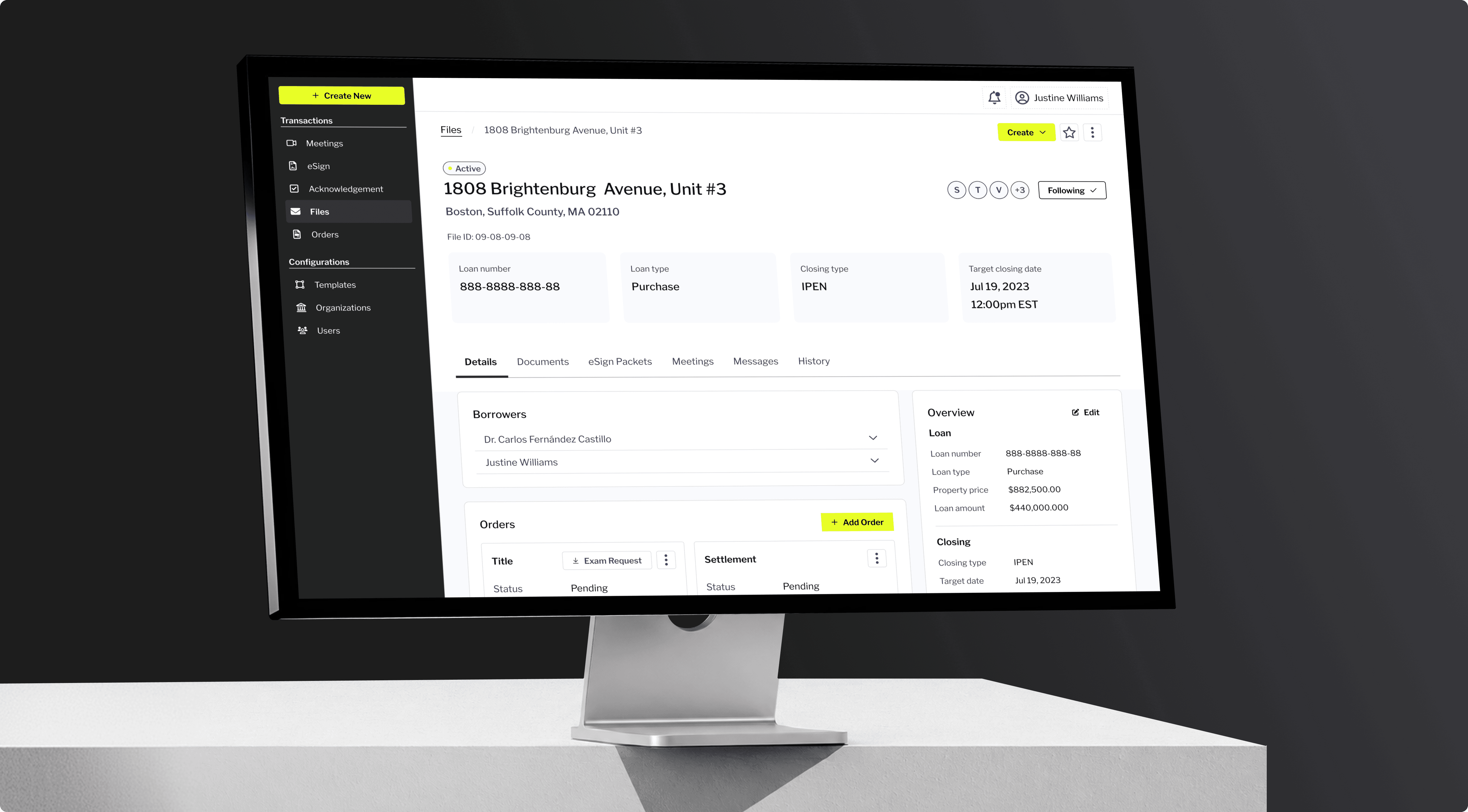
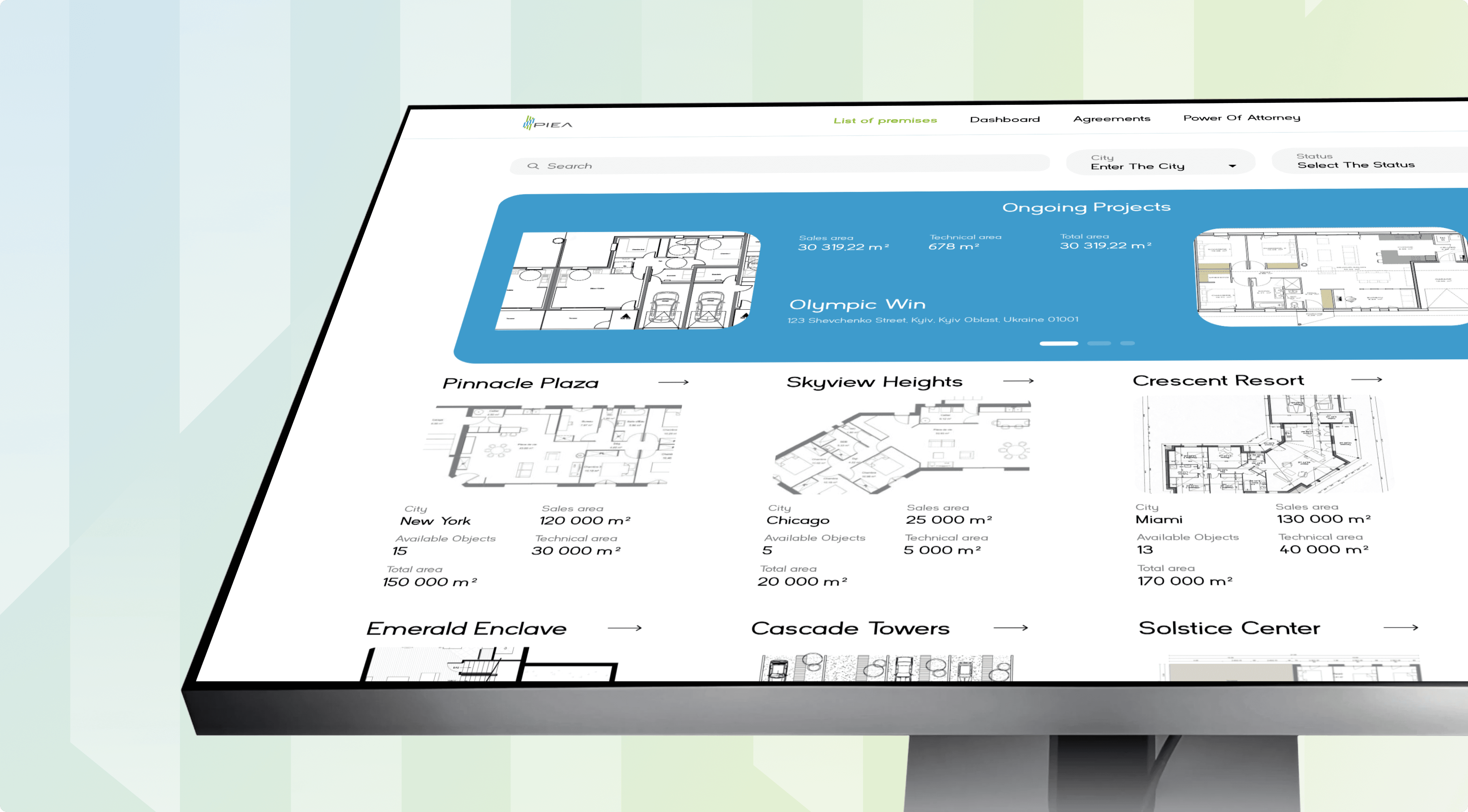
Real-time budget control and AI cost forecasting, built around your BOQ. Incora builds custom construction cost management software that syncs your budget, procurement, and finance data into one model. Your project managers work from the same figures as your ledger.
Construction Cost Management Software
ClutchG2UpworkGoodFirms

The Real Cost of Managing Budgets on Static Spreadsheets

Most overruns start with a late decision, not a wrong one. Generic construction budget software rarely matches how your BOQ, contracts, and approval chains actually run.
challenge #1

Outdated BOQs

Field changes and new quantities leave the original budget out of sync.
solution #1

Live Budget Sync

Construction budget control software keeps quantities and costs aligned as changes happen.
challenge #2

Hidden Commitments

Purchase orders and change orders can shift costs before they reach the budget.
solution #2

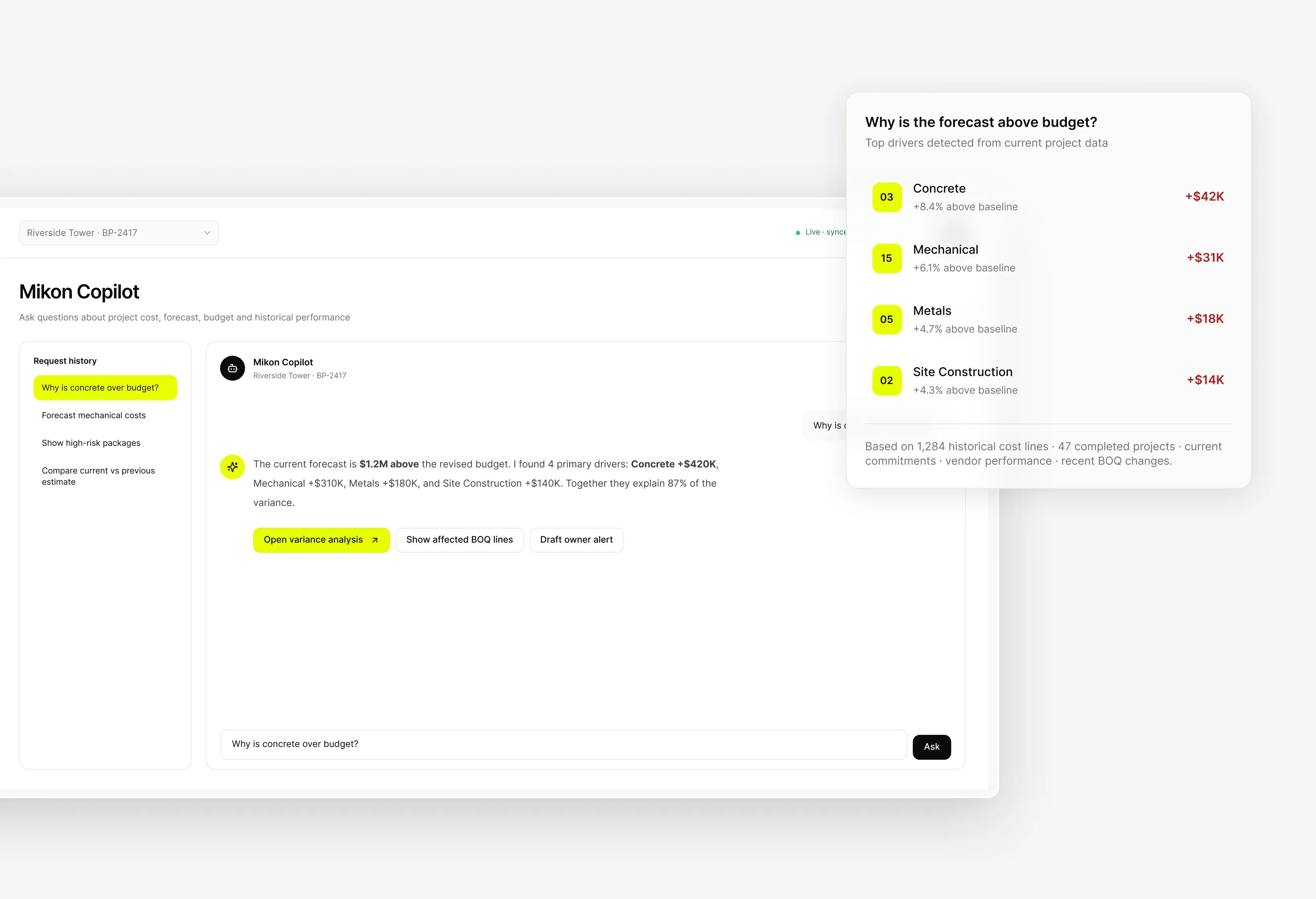
AI Cost Forecasting

Cost control software for construction tracks commitments and changes to show where final costs are heading.
challenge #3

Late Budget Drift

Small variances build up quietly until there is little room left to respond.
solution #3

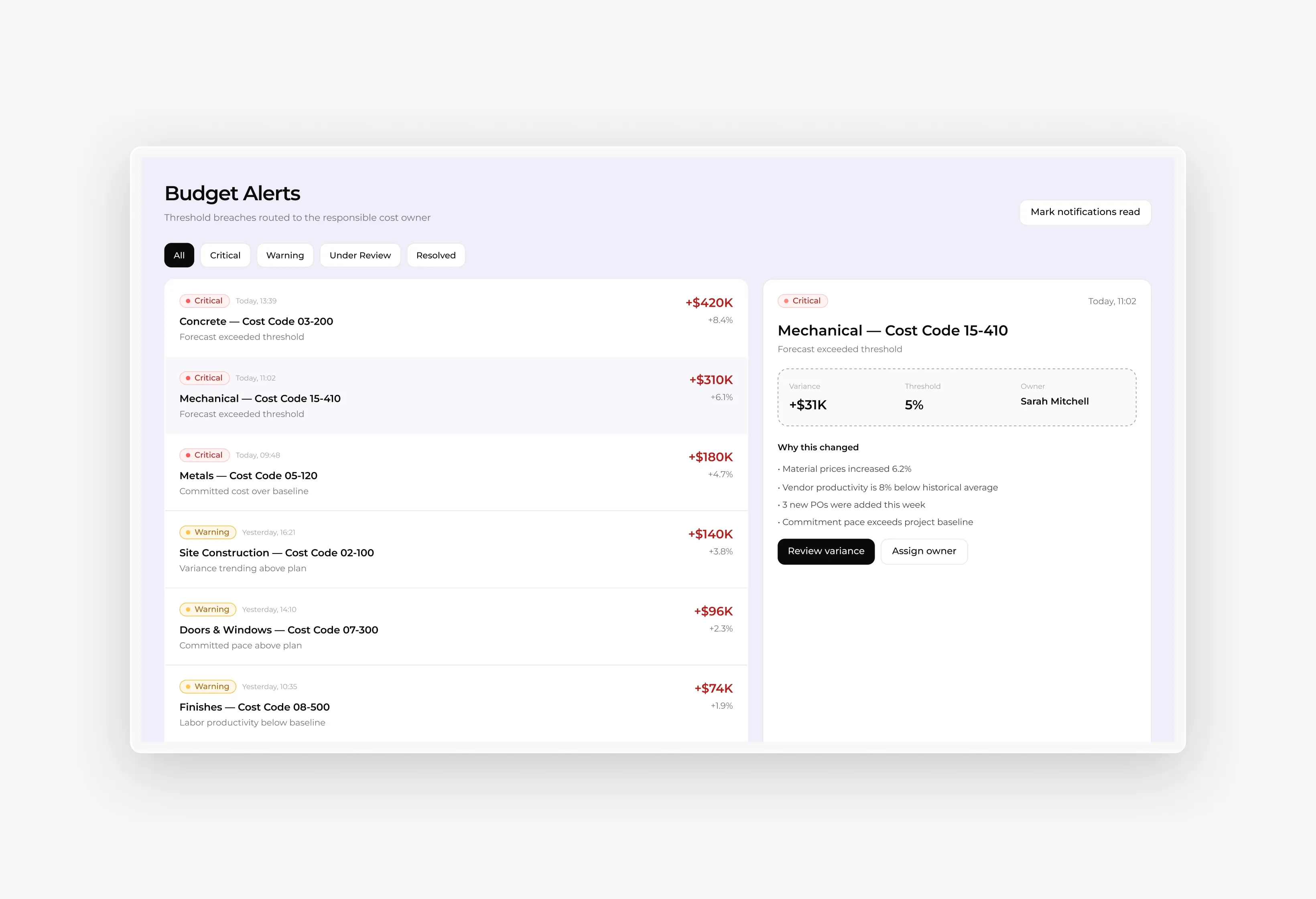
Deviation Alerts

The system flags important budget changes while the team can still act.

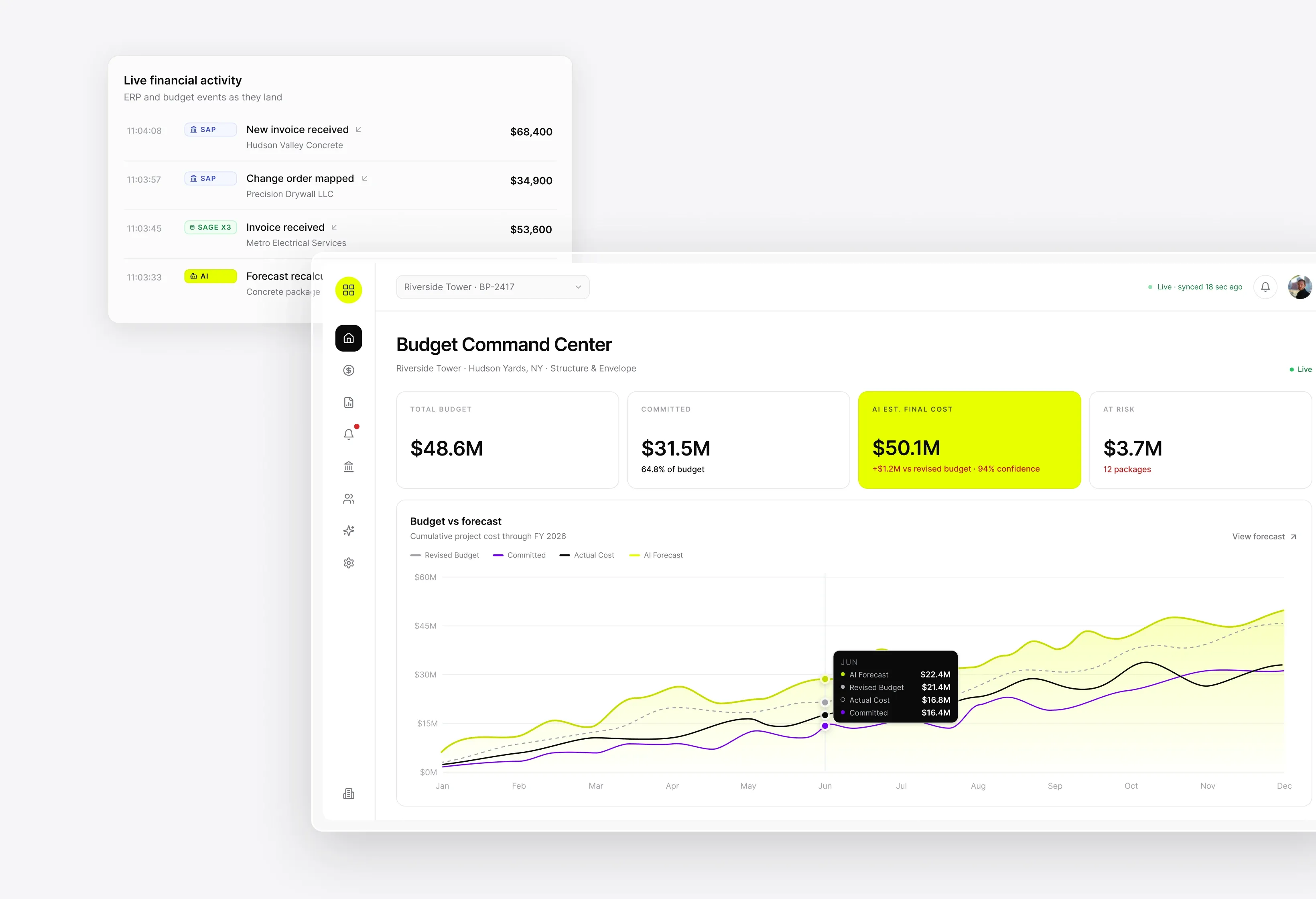
Live Budget Sync Engine
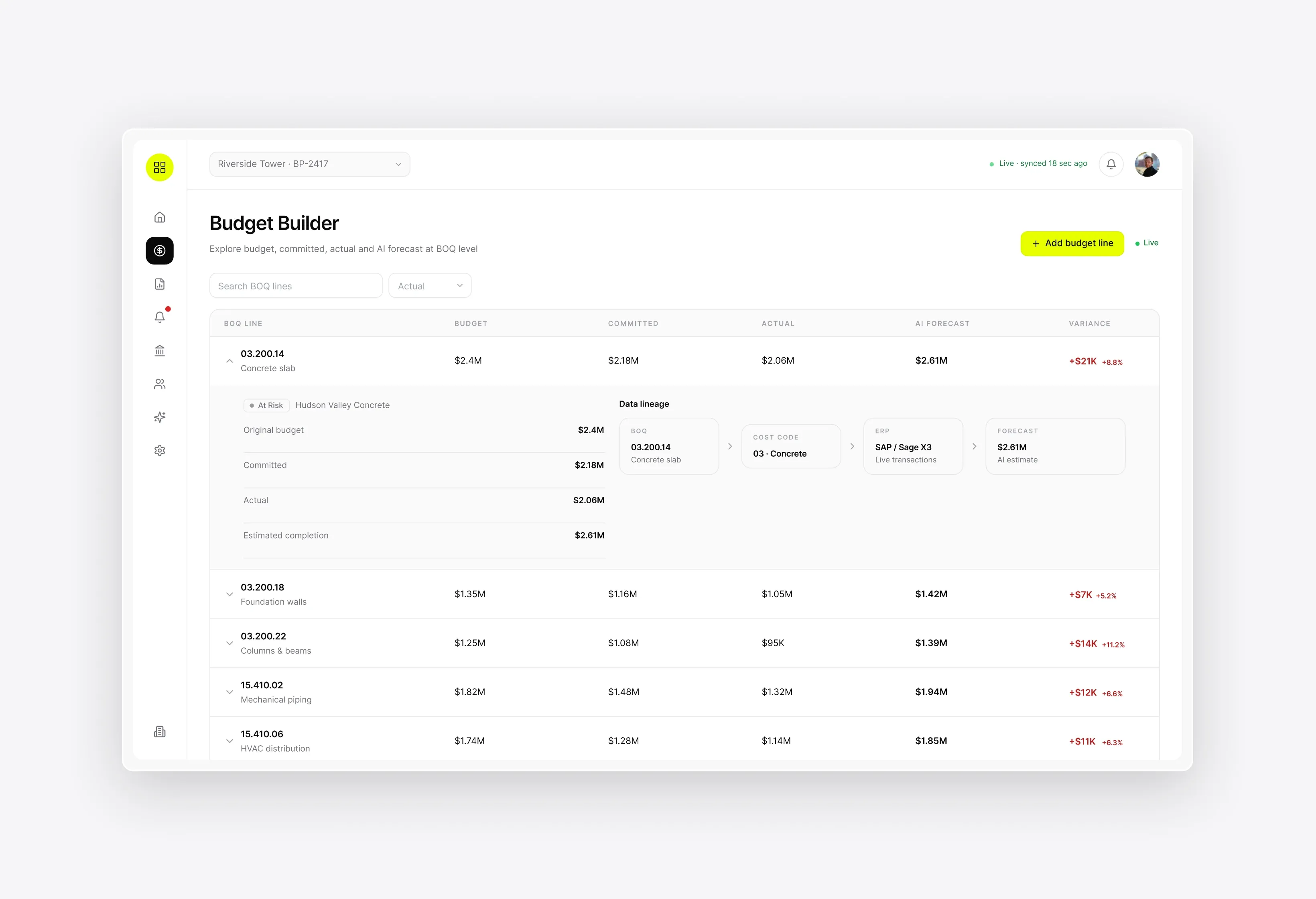
Every cost code stays mapped to its BOQ line and updates the moment data lands.
Live Budget Sync Engine

AI-Powered Cost Forecast Engine

Predicts final cost per line item and ranks packages by how far they drift.
AI-Powered Cost Forecast Engine

Dynamic Budget Deviation Alerts

Notifies the responsible code owner the day a threshold breaks, with variance detail attached.
Dynamic Budget Deviation Alerts

Interactive Budget Builder & Cost Dashboards

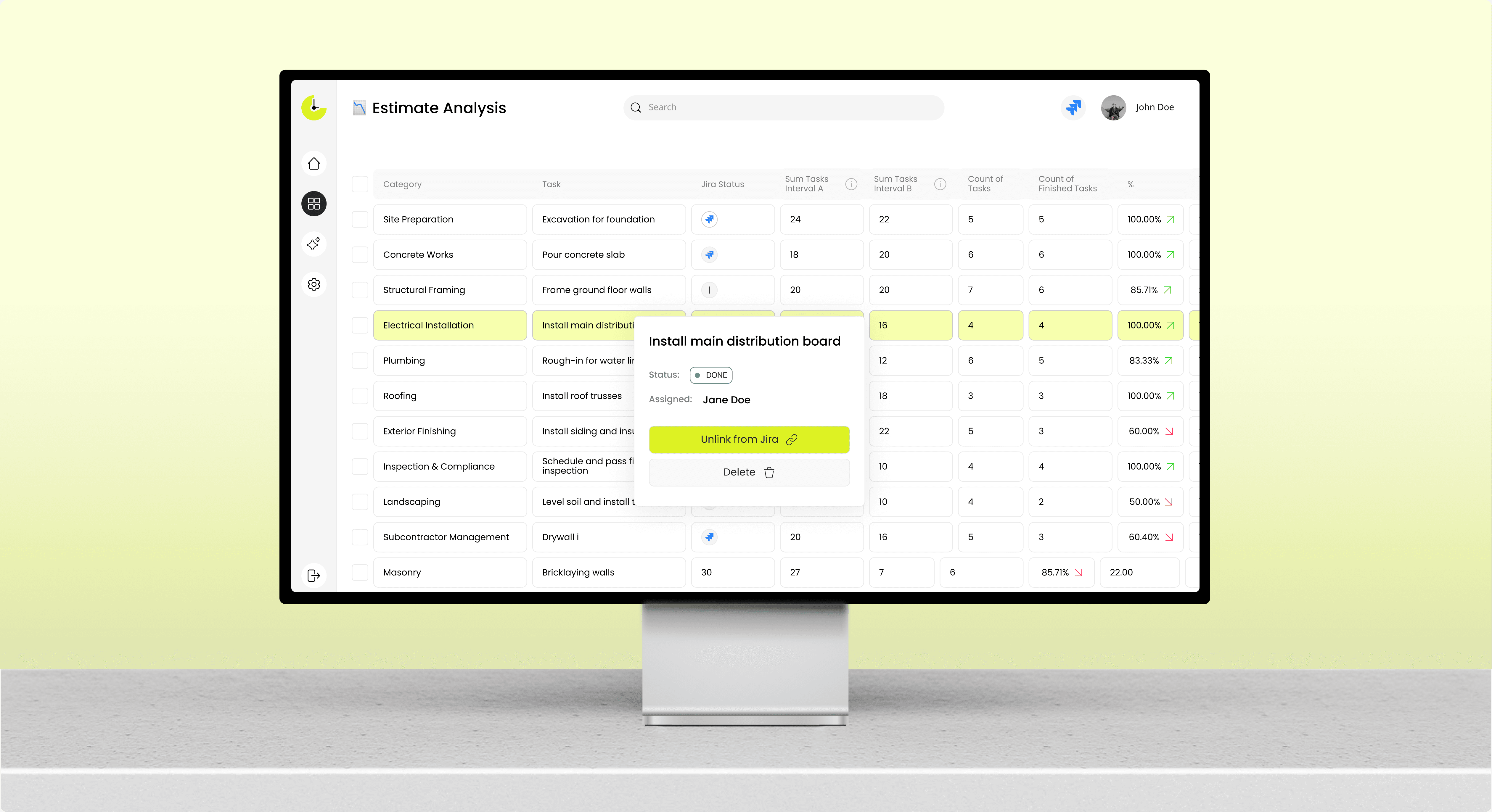
Filter cost by project, phase, or funding source without waiting on a report request.
Interactive Budget Builder & Cost Dashboards

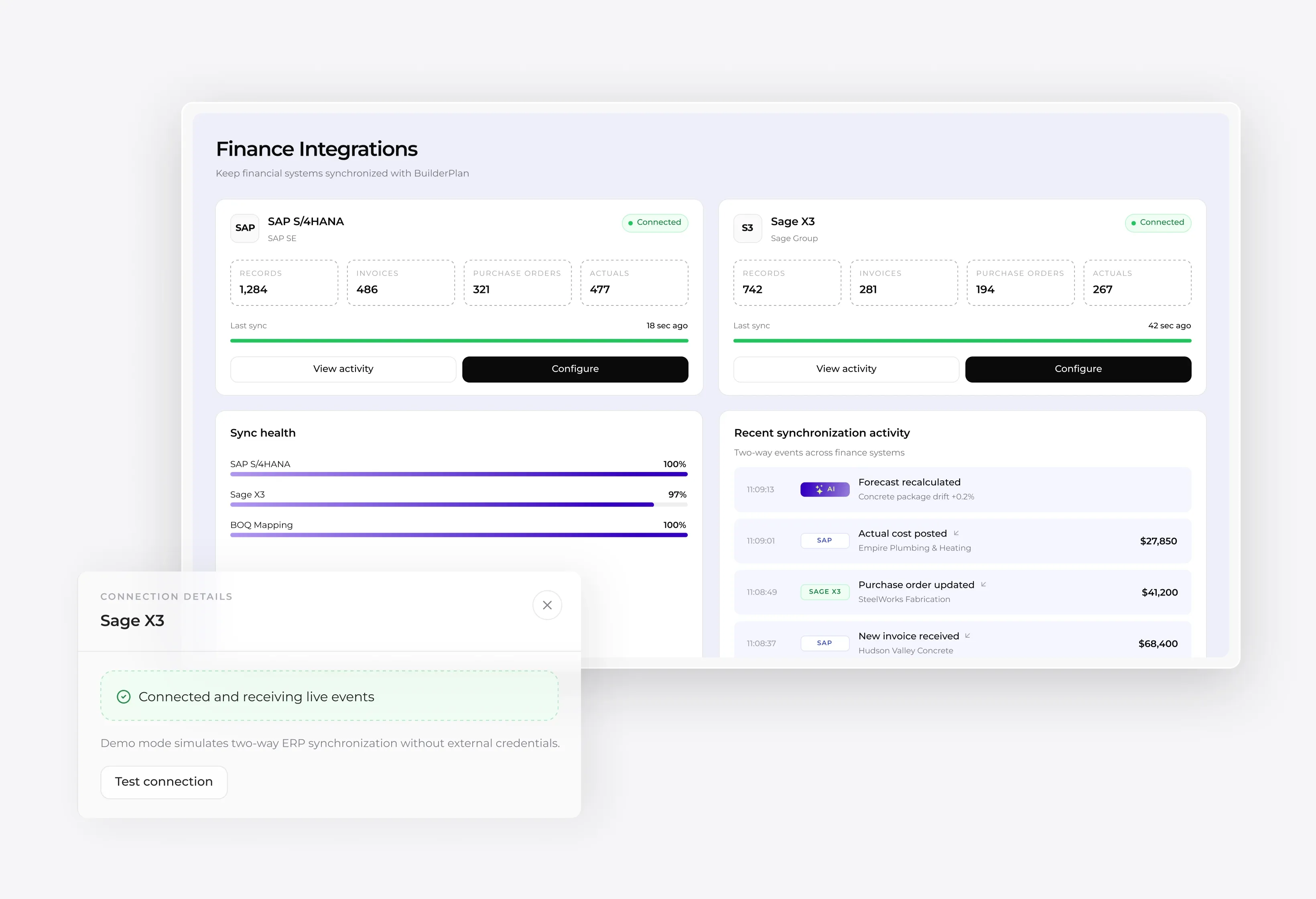
Finance-System Integration (SAP, Sage X3)

Two-way sync with SAP and Sage X3, with no export step or batch delay.
Finance-System Integration (SAP, Sage X3)

How It Works

Custom construction project cost management software connects to your existing stack in four steps, with no change to how your teams code or approve costs.
Step 01

Connect Your BOQ, Procurement & Finance Data

We map your bill of quantities, procurement records, and finance system into a single model. Your cost codes and naming conventions stay as they are.

  • BOQ and cost-code mapping
  • Procurement and commitment sources
  • ERP and accounting connection
  • Approval hierarchy setup
Step 02

Sync Actual Spend Against the Plan in Real Time

Every invoice, commitment, and approved change updates your position on entry. Cost control software in construction works only when data arrives at this speed.

  • Live actuals against plan
  • Committed versus incurred cost
  • Change-order capture
  • Automatic variance calculation
Step 03

Let AI Forecast Costs and Flag Deviations

The engine projects outturn and surfaces packages heading over budget. Construction budget tracking software earns its place by pointing at risk ahead of you. Our piece on AI forecasting in construction covers how these models prevent material delays.

  • Line-level cost at completion
  • Trend and drift detection
  • Package risk ranking
  • Early overrun warnings
Step 04

Act on Live Cost Dashboards and Alerts

Teams work from dashboards that reflect current reality and alerts that arrive while response is possible. Construction budget control software converts live data into margin protection on every job.

  • Threshold-based alerts
  • Role-based dashboards
  • Portfolio cost view
  • Exportable reporting

Success Stories

See how teams run their builds on the software Incora shipped. A few of the construction projects we have delivered:

Proven Results

What changes after teams move to cost control software in construction:
See yourself

150+

Projects successfully delivered

11+

Years of experience

65%

Fewer budgeting errors

100%

Real-time cost visibility

Integrations

Construction budget manager software is only as useful as the systems it reaches. We pull from the tools your teams already run.
01

ERP & Accounting (SAP, Sage X3)

Actuals and commitments stay aligned between site and ledger, with no export step.
02

Procurement & Cost Data Sources

Purchase orders, subcontractor agreements, and supplier invoices reach your forecast the day they are agreed.
03

BIM & Project Management Tools

Quantities and progress from BIM and scheduling tools keep physical and financial completion in step.

Ready to Take Control of Your Construction Budget?

Incora delivers custom cost platforms built around your BOQ, cost codes, and finance stack.Discover a solution

Explore Our Other Construction Solutions

Cost control is one layer of a connected stack. Each solution below shares the same data model.

Construction Client Portal Solution

Give every client a live view of their build without adding a single status call to your week. Incora builds a custom construction client portal that pulls progress, photos, approvals, and change orders straight from the systems your team already runs.
Learn more

Construction Document Automation

Your site teams handle drawings, invoices, and RFIs across a dozen inboxes. Incora builds construction document automation that automatically captures each file. Your data stays synced without retyping.
Learn more

Construction Scheduling Solution

Your Gantt updates itself when a supplier slips or a price moves. Incora builds construction scheduling software that keeps the field and the office on one plan.
Learn more

Construction Software Integration Solution

Connect your PM, ERP, BIM, CRM, and accounting tools in one place, with changes syncing both ways in real time. Incora builds construction software integrations on a shared data model, so you enter a figure once, and every system gets it.
Learn more

Construction Punch List & Handover Solution

Capture every snag on site, send it to the right subcontractor, and let your client sign off from their phone. Incora builds custom punch list software that runs your whole handover on one shared record, from the first defect to the final signature.
Learn more

Testimonials

Clients stay with Incora because our engineers own cost outcomes and adapt the platform as projects change. Read what they say below.
5.0
Based on 27 reviews
Clutch (Testimonials)
Leo Kudryavtsev

Leo Kudryavtsev

Founder & Principal Solution Architect, Softrange Technology
David Park

David Park

CEO of Narada AI

Incora always delivered on time and in many cases went above and beyond to build beautiful, robust UI interfaces for us.

Maysam Lavasani

Maysam Lavasani

CEO of Lexie.ai

Incora developers are quite smart and great programmers. Both are top 10% of people I have worked with.

Daniel Bosch

Daniel Bosch

Co-Founder, Campcruisers

We've hired a programmer from Incora, who is working on all our plug-ins. I'm very happy with the one developer we've been assigned.

Thomas Hambridge

Thomas Hambridge

CEO of Health Explore

The map was designed and built in a short period of time and I was impressed with the results from the beginning.

FAQ About Construction Cost Management Software

What is construction cost management software?

Construction cost management software is a single system that brings together your budget, committed spend, and actual spend, with a forecast of final cost that updates as work progresses.

Here is what changes day to day. Instead of reconciling separate files at month-end, your team reads planned, committed, and actual cost on one connected BOQ in construction, the same line finance and site both update. Basic construction budget software records only approved budgets and paid invoices, leaving the commitment stage invisible. A full platform captures the moment a purchase order or change order is signed, so the money appears in your forecast weeks before it reaches the ledger. That gap is where most overruns become unavoidable.

How does AI cost forecasting work in construction?

AI-driven construction cost forecasting compares your live burn rate and committed spend against patterns from your completed projects, then predicts cost at completion for each package.

Accuracy depends on the data underneath it. Continuous construction budget tracking feeds the model actuals and commitments as they are entered, so the projection reflects this week instead of last month. Our work on AI forecasting in construction covers how these models flag material delays before they hit the schedule. Models trained on your delivery record learn which trades typically overrun, where change orders cluster, and how early variances resolve by handover, giving your commercial team weeks of lead time to renegotiate, reallocate contingency, or adjust scope.

Can it integrate with SAP, Sage, and our accounting system?

Yes. Custom cost management software for construction connects to SAP, Sage X3, and other ERP platforms, so actuals and commitments match between site data and the ledger with no manual export.

We define the integration scope during discovery, mapping every data source, its refresh frequency, and its owner. Construction budget management software built this way also reaches the tools packaged products ignore: a bespoke procurement sheet, a legacy cost database, or a reporting layer your finance team already trusts. The working principle is single entry. You key a figure once, and every dependent view updates from it.

How is a custom solution different from Procore, Autodesk, or Kahua?

Packaged platforms fit your process into their structure. Custom construction project cost control software matches your cost codes, BOQ format, and approval chains exactly, with no per-seat licensing and no unused modules in the price.

The honest tradeoff runs like this. For a small team on standard projects, off-the-shelf cost control software for construction is usually the better economics, since you get a mature product immediately. Once your reporting formats, approval workflows, or integrations stop fitting the box, the daily cost of workarounds exceeds the cost of building something that fits. A custom build also gives you the roadmap, so the platform changes when your business does rather than when a vendor schedules it.

How much does custom construction cost management software cost?

The cost of construction cost control software depends on the systems you need to connect, the level of forecasting required, and the number of projects and users it will support. Most projects start with a fixed-scope discovery phase that defines the requirements and provides a clear development estimate before work begins.

The delivery model limits your exposure. Construction budget management software ships in phases, with a working slice in production early instead of one release at the end. You measure return against real usage on a live project, then decide whether to fund the next phase. That sequence puts a small first commitment ahead of the larger build. For more on cost control and budgeting, see our guide to cost control in construction.

Ready to Take Control of Your Construction Budget?

Incora delivers custom construction cost management software built around your BOQ, cost codes, and finance stack.
🌐
Anastasiia Pryshliak
Senior Partnerships Manager

Just pick a time. No forms.

30 minGoogle MeetNo commitment